Measure real-world size
from a single photo.
Transform images into precise distances, heights and surface areas using AI. No complex setup. No hardware. Just calibrated, auditable measurements your team can trust.
Production-ready outputs
- ✔ Distance, height and area measurements
- ✔ Annotated visuals ready for reports
- ✔ CSV exports for spreadsheets & QA
- ✔ Transparent, reviewable calculations
- ✔ Calibrated accuracy from reference objects
How to Use the Size Tool
1. Upload an Image
Upload a clear image where objects and depth are visible. Image quality directly impacts measurement precision.
2. Draw a Measurement Line
Draw a line connecting two points to measure the distance between them. This line serves as a reference for size or length within the image.
3. Automatic Depth & Distance Detection
The tool analyzes perspective and depth, automatically estimating spatial relationships and marking measurable distances.
4. Calibrate for Higher Precision
Adjust the reference using a guide line to refine scale accuracy. Proper calibration ensures more reliable measurements across the image.
How to Measure Size & Distance from an Image
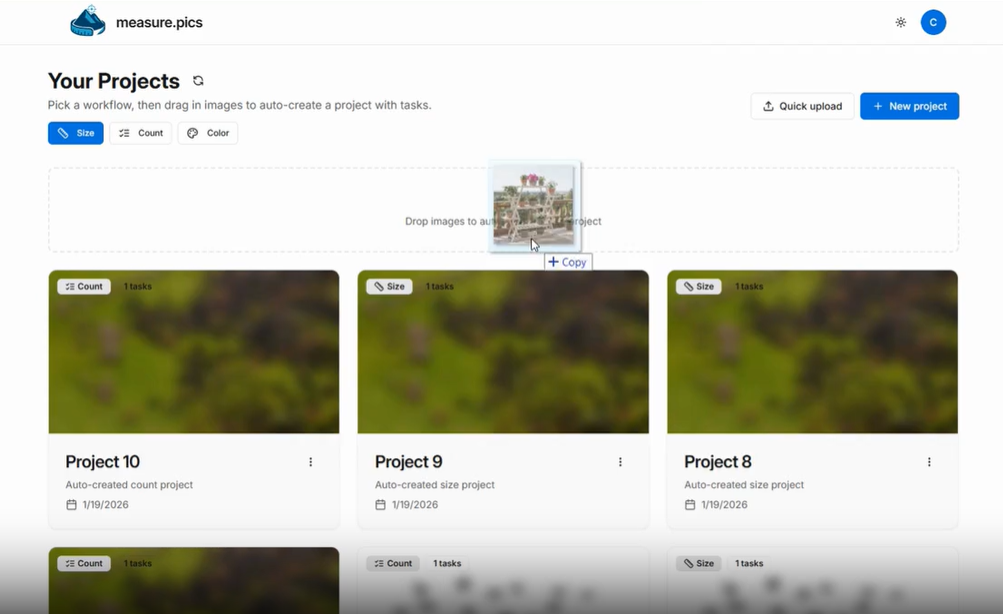
Upload the image
Upload an image or drag and drop it into the workspace to begin measuring.
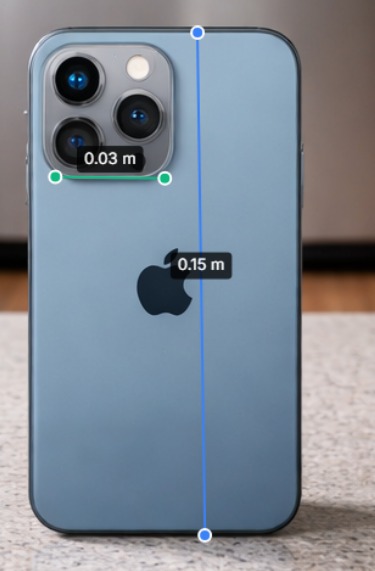
Draw distance lines
Select Distance and draw a measurement line. Measurements start uncalibrated and are estimated from perspective, depth cues, and relative object scale — even for objects behind or in front of others.
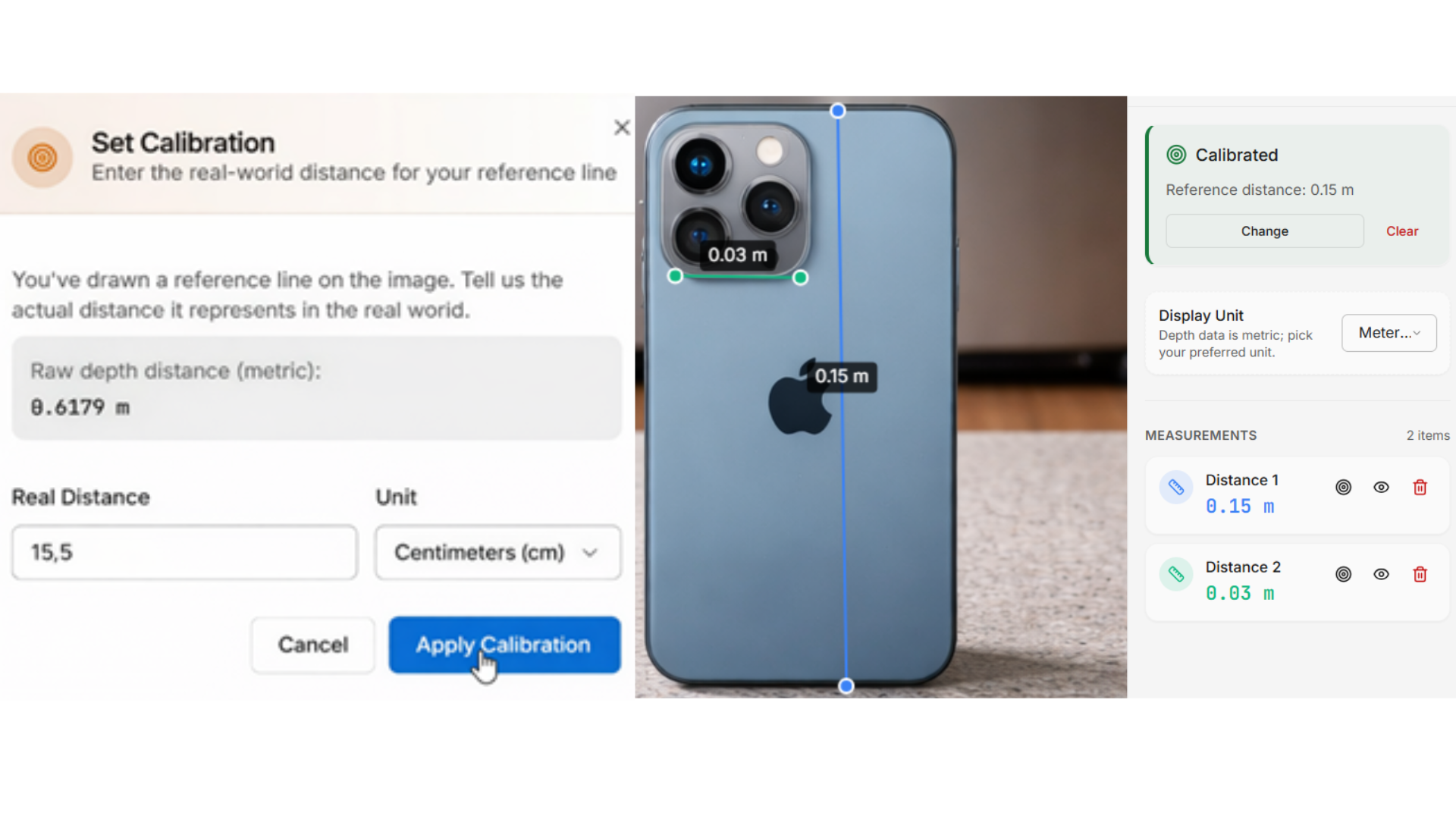
Calibrate the image
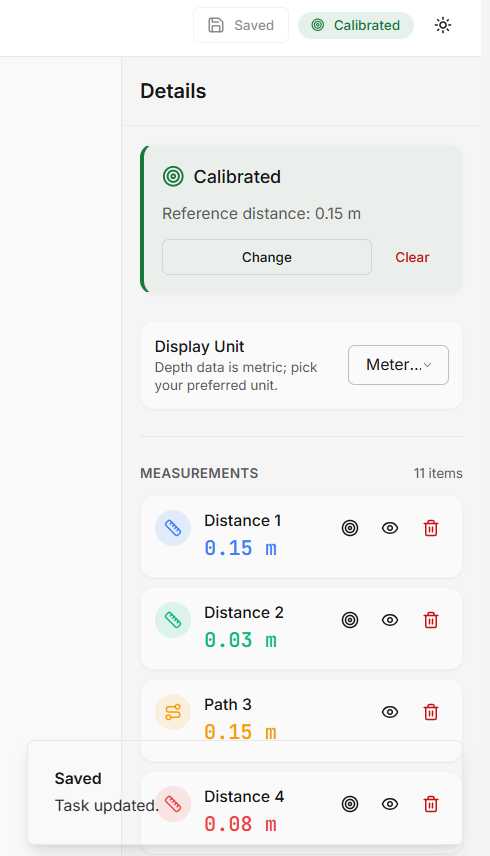
Apply a real-world reference to convert visual distances into accurate measurements across the entire image. All existing measurements update automatically.
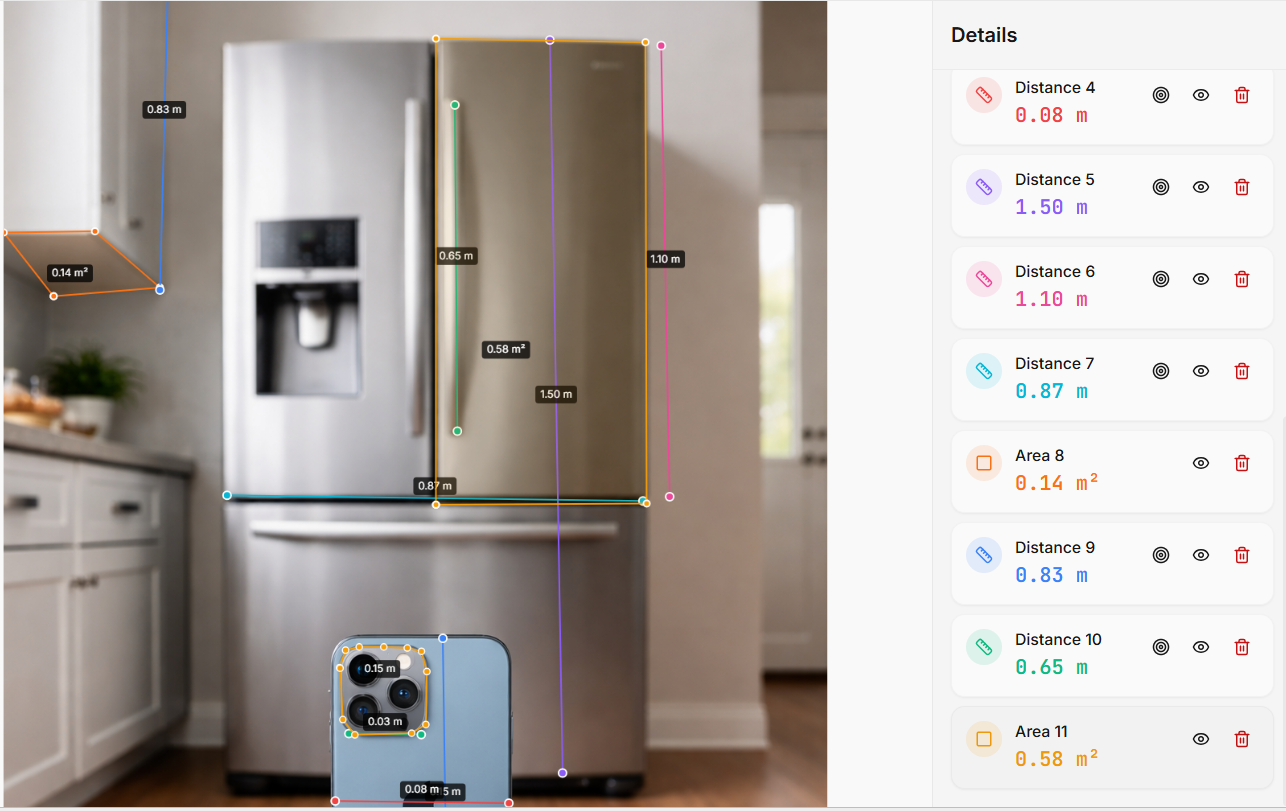
Measure areas
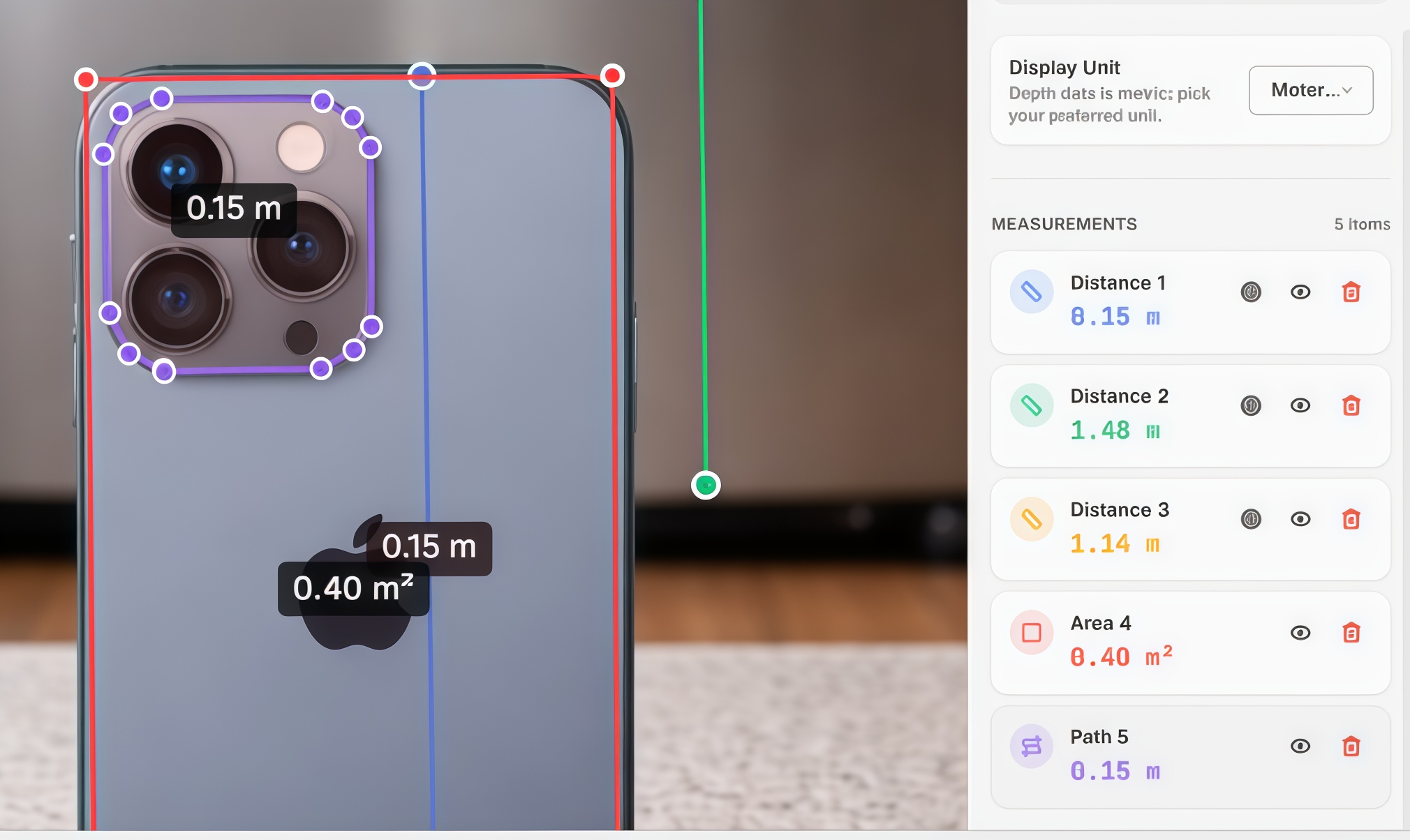
Use the Area tool to measure full surfaces. Mark points around the perimeter and close the shape. The system calculates the total area automatically.
Measure irregular paths
Use the Path tool for non-straight distances. Follow the real route by placing points. All segments are summed automatically.
Save changes
Click Save to store your measurements.
Accuracy tips for measuring real-world size from a single photo
✅ Use a clear reference object
Choose something with a known length (ruler, shelf width, standard part) and draw the reference line precisely.
✅ Keep reference + target in the same plane
This reduces perspective error and makes calibration more reliable.
✅ Avoid extreme angles
Strong perspective and lens distortion can affect results—use well-composed photos when accuracy matters.
✅ Treat outputs as decision support
Great for documentation and planning. For certified surveying or high-precision needs, validate physically.
Stop estimating. Start measuring.
Accurate visual measurement, powered by AI. Ready in minutes.
Try the AI Size Tool